AI Crawlers Saw a Blank Page on Our Site — Adopting Static Prerendering for a SPA
We had opened robots.txt to AI crawlers, yet what they received was an empty HTML shell. This is how our React SPA diagnosed the problem, fixed it with build-time static prerendering, what side bugs surfaced along the way, and how to check your own site.
Dohak Kim
Marketing Architect · Ph.D. in International Marketing (UIBE)
Published
2026-10-20
Summary
robots.txt was wide open, yet what AI crawlers saw was a single <div id="root"></div>. Any team running a SPA should check this once. Here is how we found it and fixed it with build-time prerendering.
The Door Was Open, but the Room Was Empty
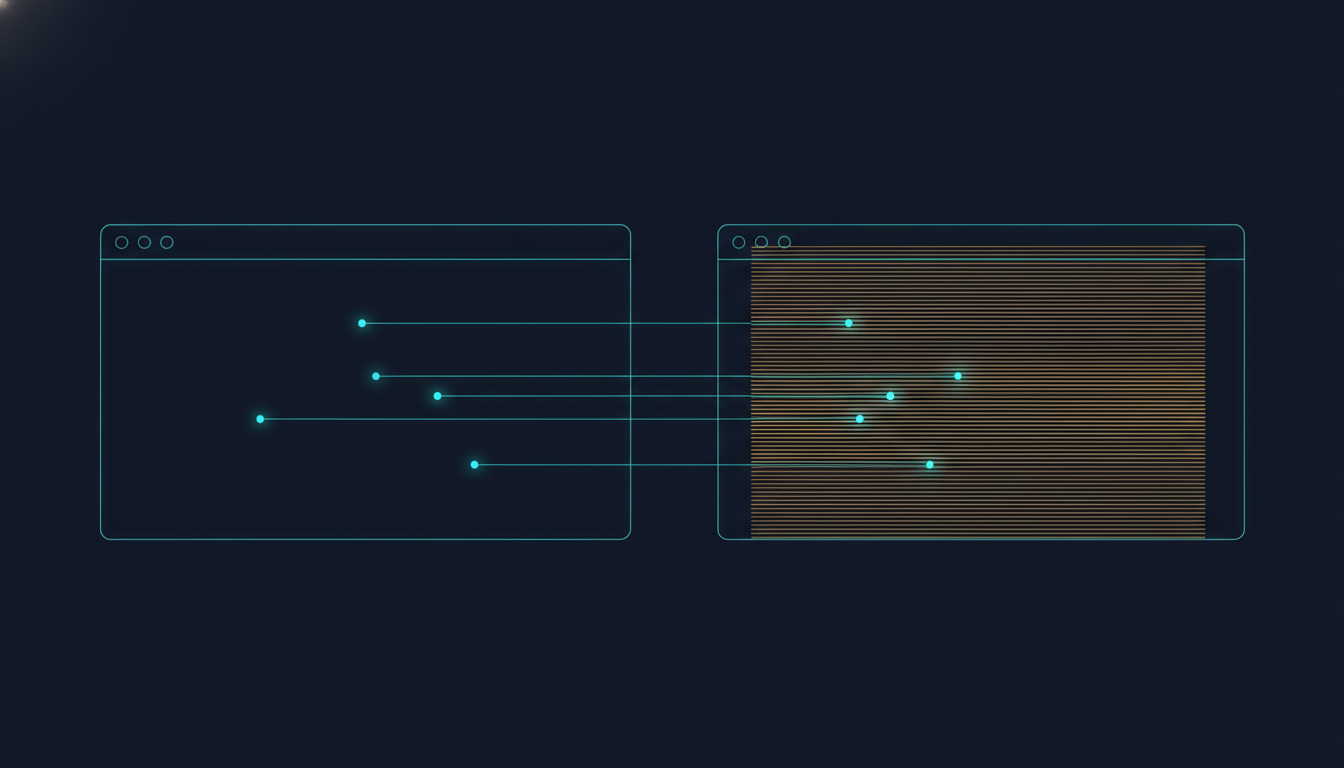
In the previous post we covered AI crawler allow settings. But however perfectly you open robots.txt, it means nothing if there is no body for crawlers to read. Our own site was in exactly that state. marketing-pivot.com is a React client-side rendered (CSR) SPA. A person's browser runs JavaScript and draws the screen, but the HTML a non-JavaScript crawler received was nothing more than <div id="root"></div>.
We diagnosed this twice, on August 30 and September 8, 2026. For crawlers like GPTBot, ClaudeBot, and PerplexityBot that do not execute JavaScript, a site that talks about AEO and GEO was, to AI, a blank page.
Why This Happens
A CSR SPA has the server send only a shell HTML and scripts; the actual body is built after JavaScript runs in the browser. For a person there is no difference, but for a collector that does not render, the body does not exist. It is generally understood that many AI training and search crawlers do not execute JavaScript, though this varies by service and can change. So instead of assuming they will, the safer design makes your content visible even when they do not.
How to Check It Yourself
It is simple. Look at view-source or a curl response, not the browser element inspector. The inspector shows the result after JavaScript has run, so it is not a valid test. Search the raw response for a key sentence from your body; if you cannot find it, assume crawlers that do not execute JavaScript cannot see it either.
Comparing the Options
| Approach | Strength | Burden |
|---|---|---|
| Move to SSR (Next.js, etc.) | Server returns completed HTML on every request | High migration cost and server operations |
| Build-time static prerendering | Keeps the SPA structure; generates static HTML at build | Poor fit for frequently changing data-driven pages |
| Dynamic rendering (detect crawlers, serve separately) | Rendered output only for crawlers | Complex detection logic and risk of content mismatch |
We chose the second. Most of our pages are static marketing content such as blog posts, guides, and product introductions, and we wanted to avoid the cost of restructuring the app.
What We Did
After the build finishes, a script opens every route registered in sitemap.xml in a headless browser against a local preview server, saves the rendered result as static HTML, and overwrites it in the output folder. Because Vercel serves static files before routing rules, crawlers receive completed body content without changing the SPA structure at all. We started with 56 routes and now regenerate 68 on every build.
We hit a snag along the way. A build that worked locally failed in Vercel's build container: the bundled Chromium needed shared libraries the container did not have, and without root access we could not install them. So only on Vercel builds we branch to a separately packaged, statically built Chromium meant for serverless environments.
Problems We Found Along the Way
Prerendering let us see the site through a crawler's eyes for the first time, and several defects that normally stay hidden came out with it.
| Problem Found | Cause and Fix |
|---|---|
| Blog post title was an empty string | React 19's title handling only supports a single text child, but the title and a fixed string split it into two. Merged into one string |
| Default meta tags duplicated on every page | index.html's default title, description, and canonical stayed in the head next to per-page values. Cleaned up to keep one per tag type |
| New posts missing from prerendering | Posts missing from the sitemap were missing from prerendering, so crawlers got the home shell. Connected automatic sitemap generation to the build |
| llms.txt actually returned the home HTML | With no file present, the SPA catch-all rule served index.html. Added the real file |
| FAQ answers absent from the DOM | Answers were not mounted while collapsed, so crawlers saw only questions. Now always rendered, with collapsing handled by style only |
What this list shows is that rendering problems rarely come alone. Auditing once from a crawler's point of view surfaces neighboring defects in meta tags, sitemaps, and static file handling.
What We Still Don't Know
There is something we should say plainly. We have not yet measured how citations in AI answers changed before and after adopting prerendering. It is true that crawlers can now read the body, but there is no evidence that this translates into more citations. Prerendering is not a device that creates citations; it is work to meet the minimum condition for being citable.
Self-Check -- Where to Start Right Now
First, curl your key pages and check whether the body is visible. Then run the structural diagnostic in AEGIS Insight to check AI crawler allow status. That structural diagnostics are only a leading indicator of citation readiness and do not tally citations themselves is covered in our AEO KPI design post.
Closing Thoughts
AI crawler readiness does not end with allow settings. You have to confirm there is actually body content inside the door you opened for the setting to mean anything. If you run a SPA, open view-source once right now. If all you see is an empty shell, that is the first item on your AEO to-do list.
Frequently Asked Questions
Q.Do all AI crawlers fail to execute JavaScript?
A.It cannot be stated across the board. It is generally understood that many AI training and search crawlers do not execute JavaScript, while some crawlers such as Google's do render. It varies by service and changes over time, so rather than assuming they will execute it, it is safer to make your content visible even if they do not.
Q.Will prerendering increase AI citations?
A.There is no basis to say so yet. Prerendering only creates the minimum condition for crawlers to read your content; whether you get cited depends far more on content structure and source trust. We also do not yet have measured data on citation changes before and after adopting it.
Q.Should I move to SSR such as Next.js, or is prerendering enough?
A.For marketing and blog pages that do not change often, build-time static prerendering is often enough. Pages centered on per-user views or real-time data may call for SSR. We chose to keep the SPA structure and overwrite only static snapshots.
Q.Is it okay if the prerendered HTML differs from the live screen?
A.You must not show crawlers something fundamentally different from what users see. Prerendering runs the same app once ahead of time and saves the result, so the content should match. The key is regenerating it automatically on every deploy so the two never drift apart.
Q.How do I check whether my site looks blank to crawlers?
A.Look at view-source or a curl response to see whether your core content is in it. The Elements tab in developer tools shows the page after JavaScript has run, so it is not a valid test. If your body text does not appear in the raw HTML, assume crawlers that do not execute JavaScript cannot see it either.
How to Apply This — Step by Step
- 1
Inspect the raw HTML
Fetch the page with curl and check whether your key body sentences are in it. Look at the first response the server sends, not the browser element inspector.
- 2
Identify your rendering model
Determine whether the site is a client-side rendered (CSR) SPA. If the response contains only an empty root element, it is a blank page to crawlers that do not execute JavaScript.
- 3
List the routes to prerender
Pull the routes from a single list such as sitemap.xml. Pages missing from the sitemap are missed by prerendering too, so automate sitemap generation first.
- 4
Generate static snapshots after build
After the build, open each route in a headless browser and save the rendered result as static HTML over your output folder. If your host serves static files before routing rules, the app structure does not need to change.
- 5
Re-verify meta tags and the result
Check that each page's title, description, and canonical are neither duplicated nor empty, and after deploying, curl again to confirm the body is visible.
More in AEO Insights